Bank Reconciliation App: ReconMatch Browser Tool, Not a Spreadsheet by WiseYears Apps
$29.99
The statement and the register almost agree. Almost is where a treasurer loses a Sunday afternoon: a deposit off by the cash, a check that cleared under another name, an electronic payment nobody wrote down.
Share
See how it works
The screenshots below are from the app, in the order you work through them.
Step 1
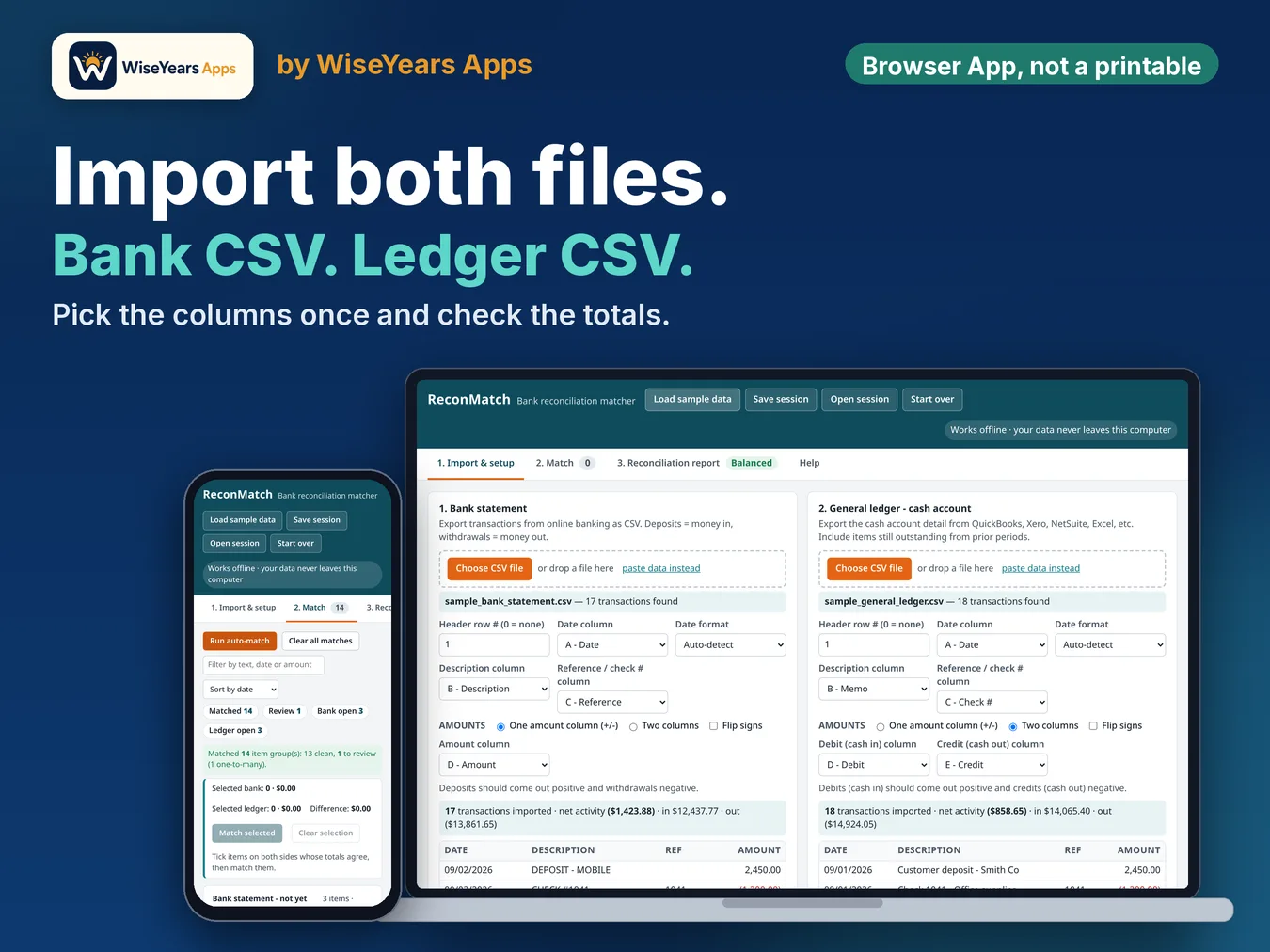
Import the statement and the books.
Step 2
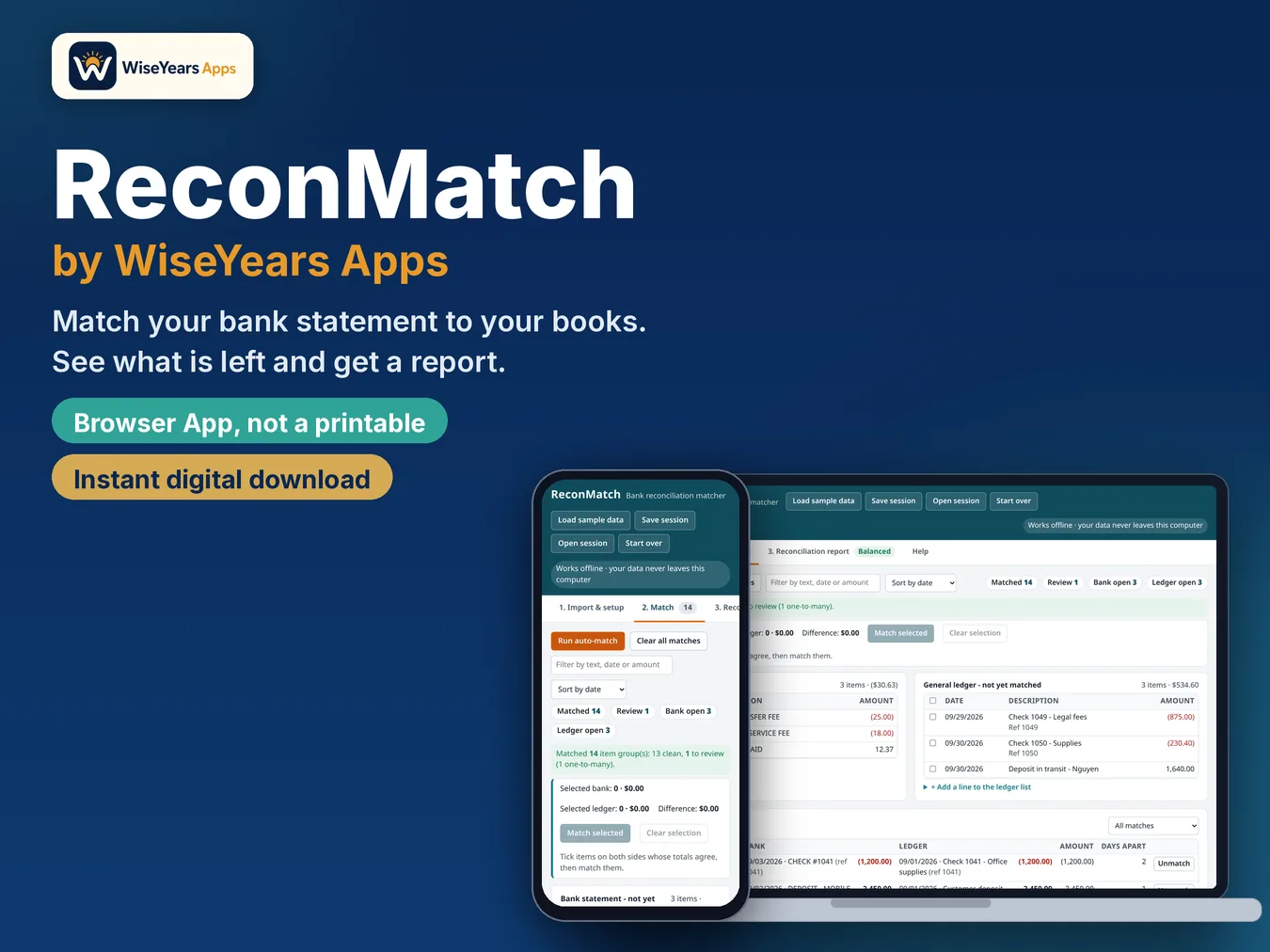
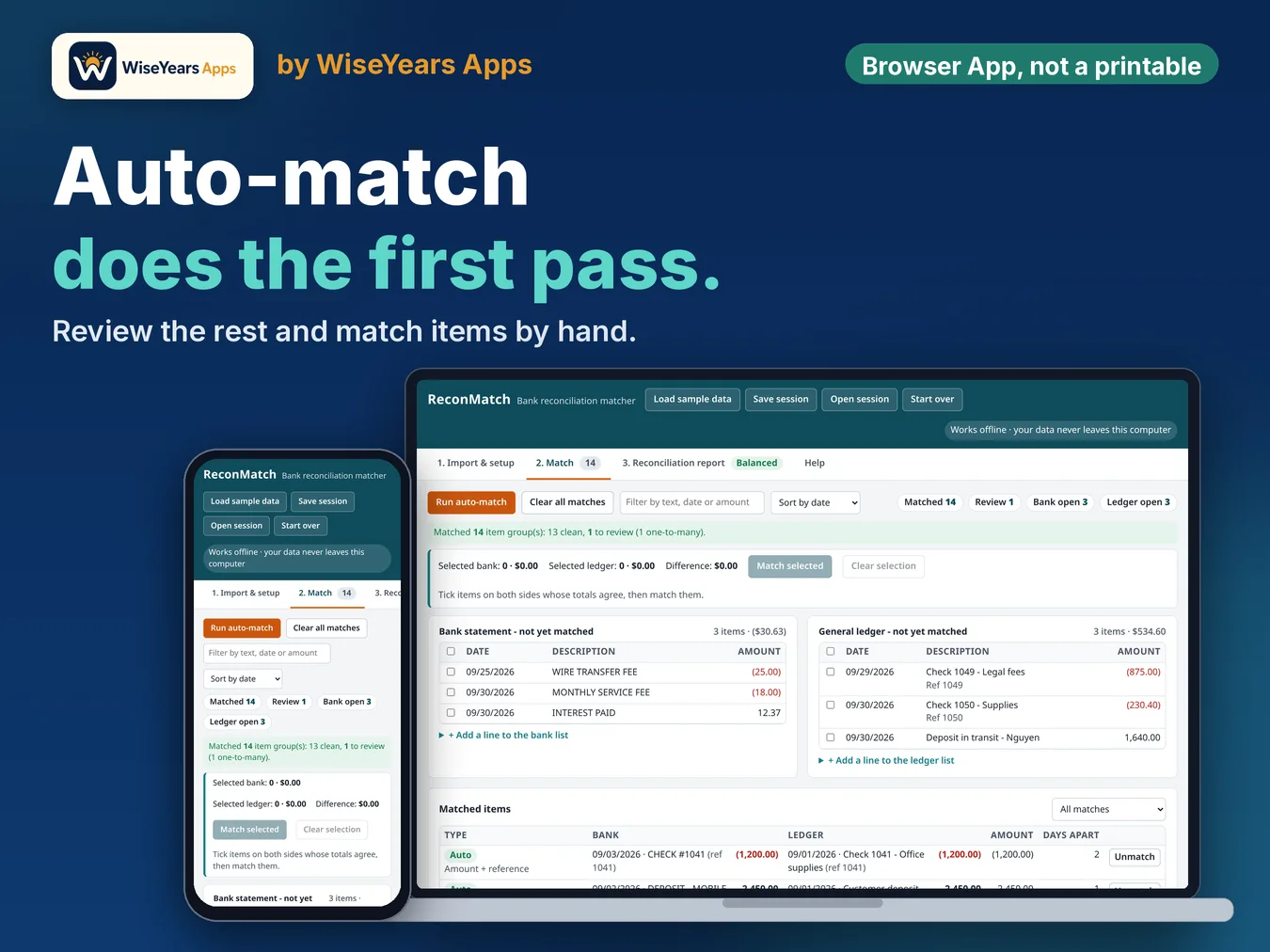
Match what agrees, then look at what is left.
Step 3
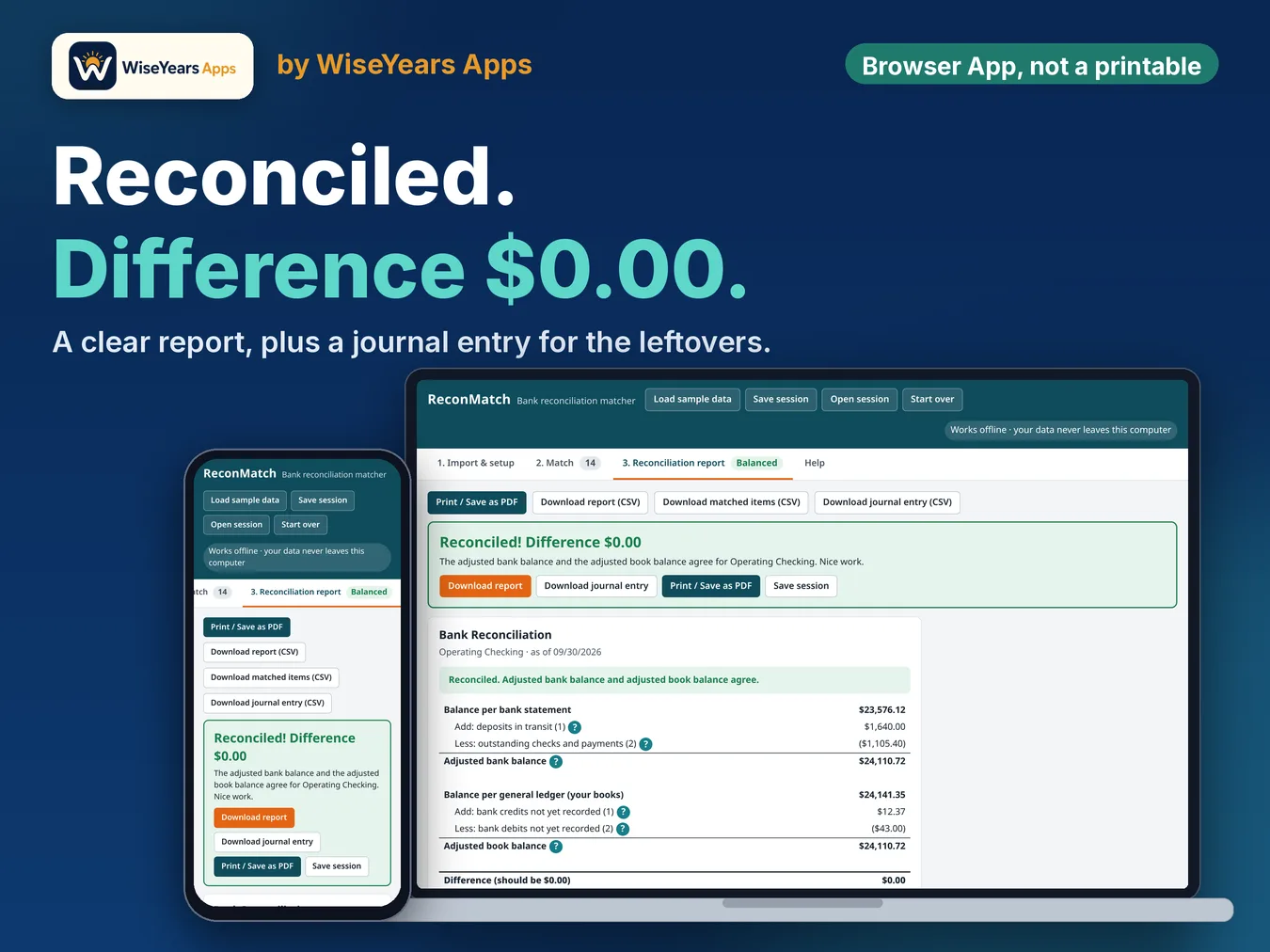
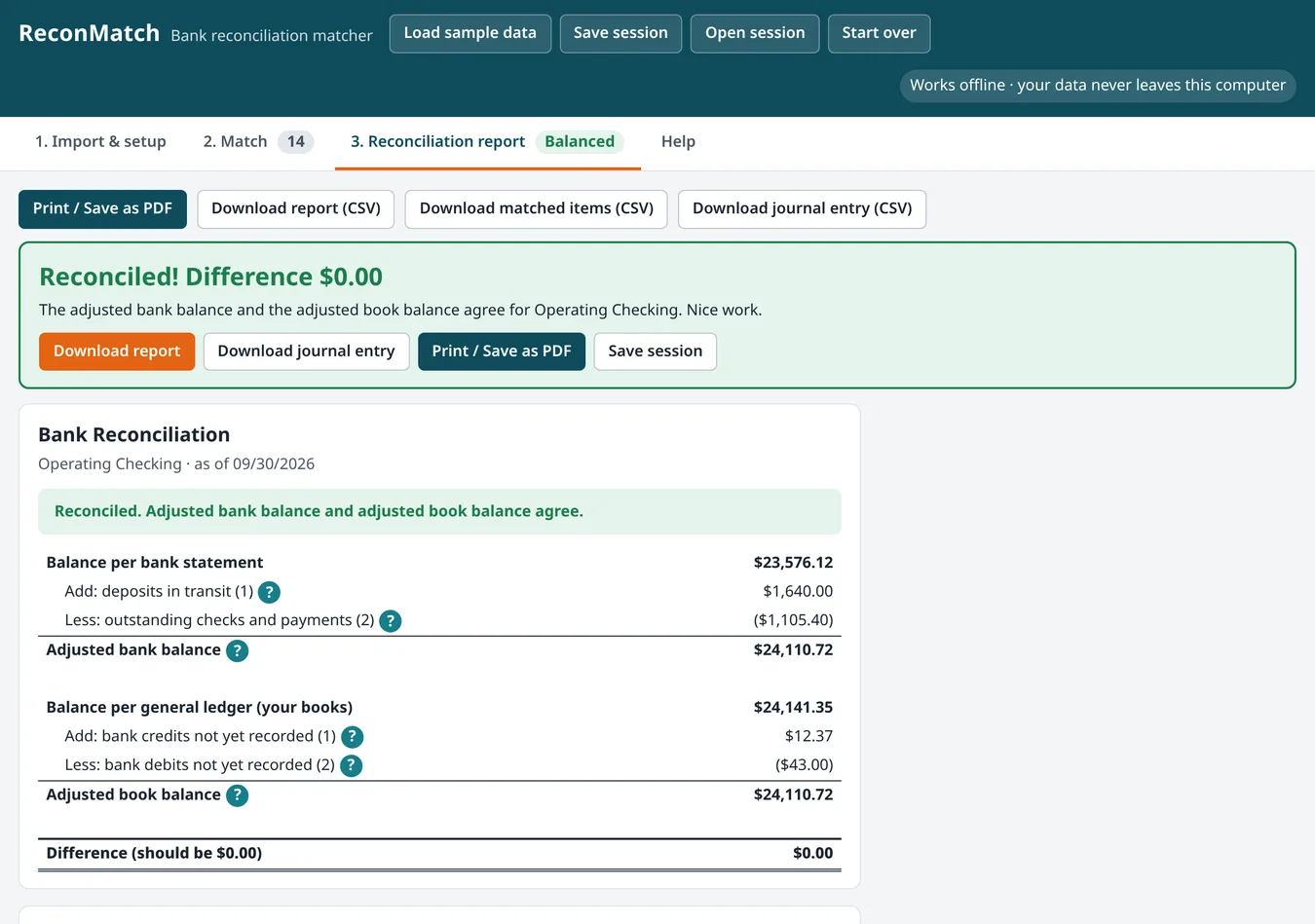
Read the difference and the finished reconciliation.
Screenshot
Screenshot from the app.
Screenshot
Screenshot from the app.
Screenshot
Screenshot from the app.
Watch the walkthrough
What's inside
- A bank reconciliation you do in the browser, for the month you are closing.
- The statement and your books stay in view while you match deposits and withdrawals.
- A running difference, so you can see what still does not tie.
- A clear result when the month balances, ready to hand to a reviewer.
- This is an app, not a spreadsheet file.
Who it's for
- Church, nonprofit, and PTO treasurers closing the month
- Small business owners who reconcile their own account
- Households who want the bank and the budget to match
Details
Bank statement and books won't agree, and you are still looking for the difference line by line? This is a real app that opens in your web browser, not an Excel or Google Sheets template.
Watch the full walkthrough: https://youtu.be/m8CbD1Sc-ws ReconMatch is a bank reconciliation app that matches your bank statement to your general ledger for you, builds the finished bank rec report and suggests the journal entry to fix whatever your books are missing. It opens in your browser from a single file, works offline and is yours to keep. It imports the CSV files you export from your bank and your books, and you can paste rows copied from a spreadsheet.
Why it's better - A reconciliation matcher app that suggests the correcting journal entry, not just a list of differences - Auto-match pairs items by amount, date and check number, then flags anything that needs a second look - Works offline: your bank data never leaves your computer - Buy once, no subscription, no account, no monthly fee
What's included - ReconMatch app (one HTML file) - Sample bank statement, general ledger and chart of accounts so you can try it in a minute - Chart of accounts template (CSV) - Journal entry upload template (CSV) - Start Here guide
How it works 1. Import: choose your bank or credit card statement CSV and your general ledger cash account CSV, or paste rows copied from a spreadsheet. ReconMatch reads the columns for you. 2. Match: click Run auto-match. Tick the leftovers to match them by hand. One deposit made of several receipts? It can find that too. 3. Report: see deposits in transit, outstanding checks and bank items not yet in your books, with the difference down to $0.00. Print it to PDF for your records and download the report and journal entry as CSV files.
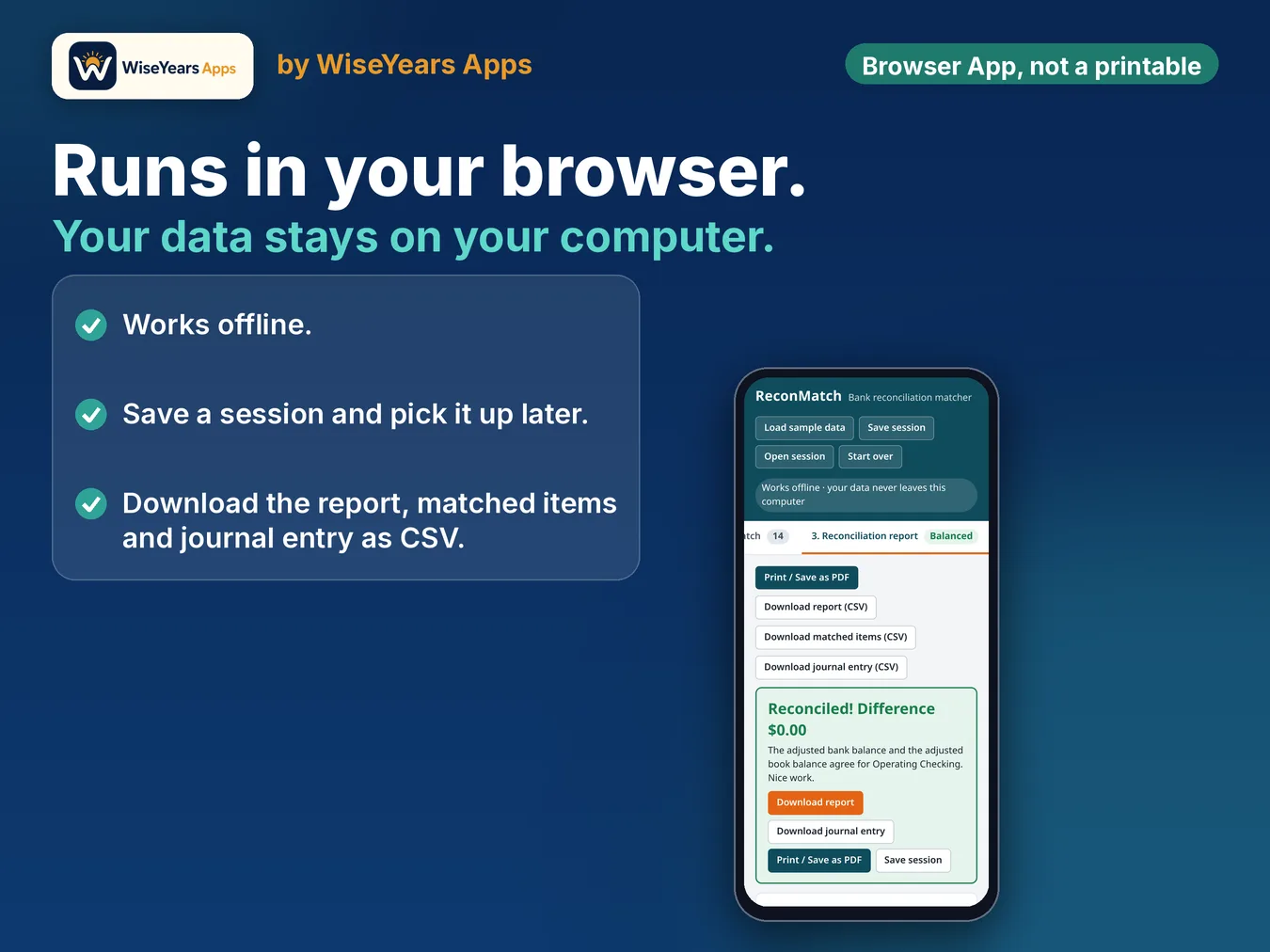
Privacy and backup ReconMatch runs entirely inside your browser. Nothing is uploaded and there's no login. Nothing is saved automatically, so click Save session to download a backup file you can reopen anytime.
Good for Small business owners, bookkeepers, treasurers and anyone who reconciles a bank or credit card account each month.
Please note - Instant digital download. Nothing will be shipped. - Open it on a computer in Chrome, Edge, Safari or Firefox. It is not made for phones. - ReconMatch prepares the reconciliation and a proposed entry. It does not post to your books. Always review before recording.
Questions? Contact us through the form. ReconMatch by ReconciledBooksCo
Before you buy
ReconMatch helps you tie a month. It does not file reports or give tax, legal, or accounting advice.
Runs in the browser. This is an app, not a spreadsheet. Checkout and delivery open in a new tab.
Checkout and delivery open in a new tab. One purchase is for your own bookkeeping.
Read the walkthrough: How to do a bank reconciliation.