Church Bookkeeping Spreadsheet: All-in-One Treasurer Workbook
$34.99
Some treasurers do not want a folder of separate files. They want one workbook they can open on Sunday and still understand in June.
Share
What's inside
- A single church treasurer workbook, not a folder of separate templates.
- The monthly cycle in one place: what came in, which funds it belongs to, whether the bank agrees, and what the board should see.
- A plain-English Start Here tab and a filled example beside the blank sheets.
Who it's for
- A church treasurer who wants one file, not a library
- Smaller congregations that want the month in a single workbook
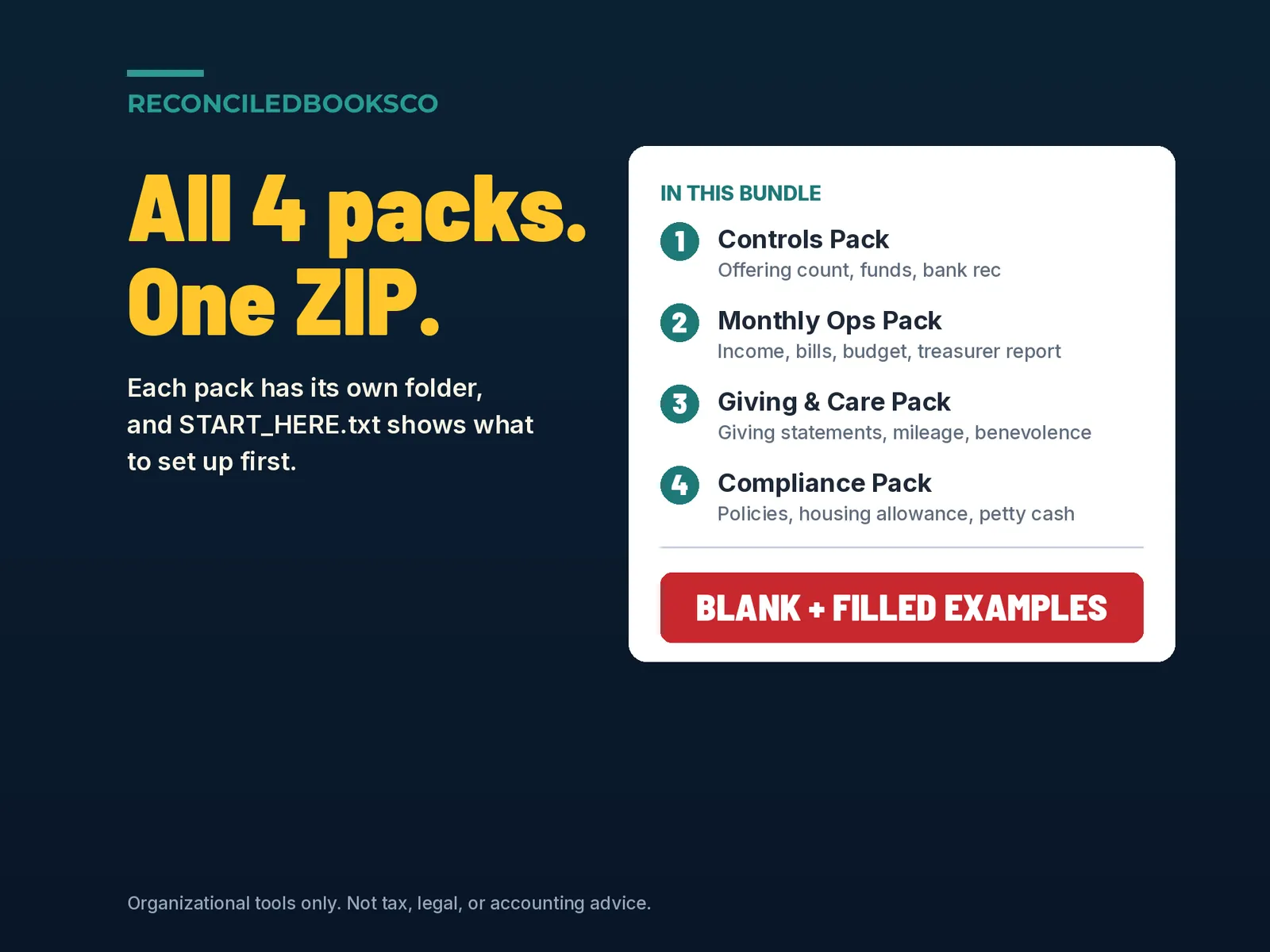
- Someone comparing this workbook with the Church Treasurer Bookkeeping Bundle
Details
Typing the same gift into the count sheet, the donor list and the board report, and still finding they don't agree?
This church bookkeeping workbook keeps the Sunday offering count, gifts and online giving, bills, donor statements, restricted funds, budget vs actual and a monthly treasurer report in one connected file. You enter each fact once. Sunday plate money goes on Count Lines and nowhere else. Put a Donor ID on a gift and it shows up on that donor's year-end statement. Fund balances, the budget comparison, the treasurer report and the dashboard all fill in from the same logs, so they agree with each other.
Does the math. Flags errors. Every log has a Check column, and the Data Checks tab pulls 26 checks into one place so you can see what needs a look before the board meeting: • Offering count: the same person counting twice, counters from one household, counter tallies that don't match the cash count, cash by fund that's off, a deposit that doesn't match the count or is made later than your policy • Gifts: a Donor ID that isn't on the Donors tab, a possible double count between the Sunday count and the Income Log, gifts dated outside the fiscal year, a processor fee larger than the gift • Online giving: a payout that doesn't match the gifts and fees for that period • Bills: an amount at or above your limit with no approver, a bill that needs a second approver, an approver who is also the payee, a possible duplicate invoice, paid before it was approved, spending that would take a fund below zero • Funds: a restricted fund overspent, a time restriction that has ended, fund balances that don't equal the reconciled bank cash • Reports: giving and spending by fund, by account and on Budget vs Actual and the Treasurer Report all tie back to the logs • Donors: an incomplete mailing address before you send statements A clean line shows a check mark, and a flag clears as soon as you fix the entry.
What's included • Church_Master_Treasurer_Workbook.xlsx: the blank workbook you work in • Church_Master_Treasurer_Workbook_EXAMPLE.xlsx: the same workbook filled in for a fictional church through late September, including a few planted problems for the checks to catch • START_HERE.txt: how to open it in Excel or Google Sheets, and print tips
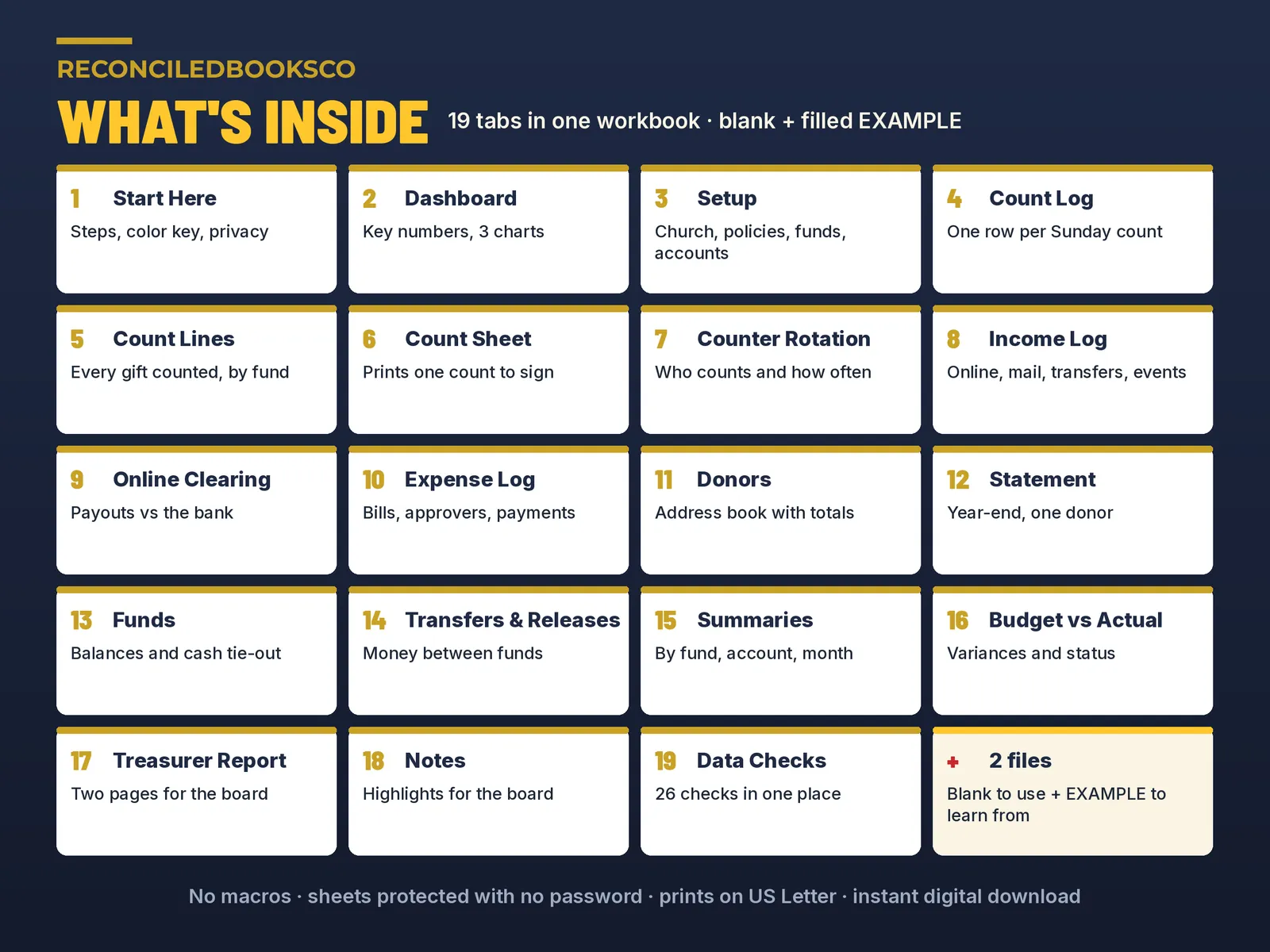
The 19 tabs • Start Here: setup steps, what to do each week, each month and at year end, color key and privacy notes • Dashboard: income, spending and surplus to date, total fund balances, funds vs bank cash, the Data Checks status and 3 charts • Setup: church details, fiscal year, approval limits, up to 15 funds, 24 income and 56 expense accounts with budgets, approvers and the counter roster • Count Log: one row per Sunday (120 rows) with bills and coins, each counter's own cash tally, the deposit and sign-off • Count Lines: every gift counted on a Sunday, cash by fund and each check with its fund (3,000 rows) • Count Sheet: prints one count for the counters to sign, with up to 100 check lines and donor IDs only, never names • Counter Rotation: who counts, how often and when they last counted • Income Log: online giving, checks by mail, bank transfers, events, interest and non-cash gifts (800 rows) • Online Clearing: matches each processor payout to the bank • Expense Log: bills with account, fund, approver, due date and payment (800 rows) • Donors: up to 300 giving households with their totals • Statement: pick a Donor ID and the year-end contribution statement fills in, up to 120 gifts, with the "no goods or services were provided" line • Funds: every fund's balance month by month and the cash tie-out to your reconciled bank balance • Transfers & Releases: money moved between funds, with the authority and who approved it • Summaries: giving and spending by fund, account and month • Budget vs Actual: variances, status, the five lines furthest over budget and a chart • Treasurer Report: two pages for the board, with income and spending vs budget, fund balances and control checks • Notes: highlights, concerns and requests for the board, printed on page 2 of the report • Data Checks: all 26 checks in one place
How it works 1. Set up once (about 30 minutes): church details, funds, accounts and budgets, approvers, counters and opening balances on the Setup tab, then your giving households on the Donors tab. 2. Each Sunday: enter the count on the Count Log and the gifts by fund on Count Lines. Print the Count Sheet for the counters to sign. 3. During the week: log other money in on the Income Log and bills on the Expense Log. 4. Each month: type the bank figures into the cash grid on the Funds tab, clear the flags on Data Checks, add a few notes and print the two-page Treasurer Report. 5. At year end: pick each Donor ID on the Statement tab and print or save as PDF. A "Pages to print" helper cell tells you which pages hold the gifts. No macros. Formula cells are locked with no password, so you can unlock and adjust. Prints on US Letter.
Works with excel & google sheets Excel: unzip the download, open the blank.xlsx and start on the Start Here tab. Google Sheets: open a new sheet and use File > Import > Upload. It's a large workbook with a lot of formulas, so give Google Sheets a moment to finish calculating after it opens.
See it filled in first The EXAMPLE file shows every tab working with a fictional church's numbers. Keep it as a reference and work in the blank file.
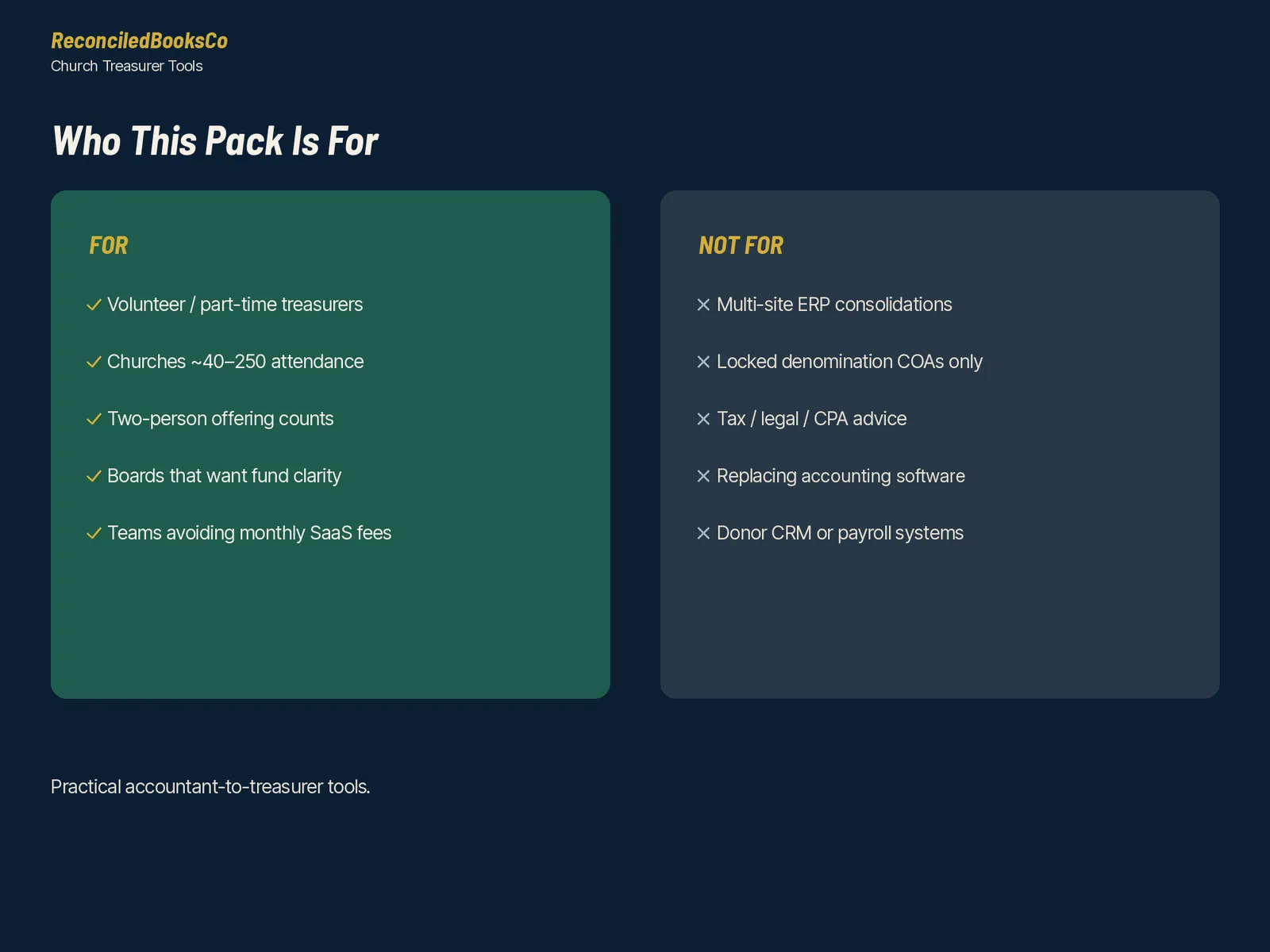
Who this is for Part-time treasurers at churches of roughly 40 to 250 in attendance who count cash and checks with two counters, keep restricted and designated funds, send year-end giving statements and report to a board or finance committee every month, and would rather keep it all in one file.
Who this is not for Multi-site churches, payroll processing, or churches that need a full accounting system with bank feeds. The Funds tab has a month-end cash grid for your reconciled bank figures, but this is not a full bank reconciliation workbook. Mileage, benevolence, missions support, petty cash, pledges, housing allowance and fixed assets are not included here; they are in the Church Treasurer Complete Bundle:
Instant download · digital files only This is a digital download. Nothing will be shipped. Your download link appears right after checkout and is also in your email receipt. Because these are digital files, all sales are final. If a file won't open, contact us and we'll fix it or send it again. One purchase covers one church; please don't resell or share the files.
Disclaimer Organizational tool only for churches and ministries. Not tax, legal or accounting advice. Does not guarantee compliance or a clean audit. The approval limits and other policy numbers on the Setup tab are starting points you can change; confirm them, and the wording on your giving statements, with your accountant or tax advisor. The church, people and numbers in the EXAMPLE file are fictional.
Built by ReconciledBooksCo, a small shop run by an experienced accountant.
Before you buy
This is the single-workbook option. It is not the Church Treasurer Bookkeeping Bundle, and it is not tax, legal, or accounting advice.
Excel and Google Sheets. No macros. Paid spreadsheet products include a blank file and a filled example, plus a Start Here tab in plain English.
Licensed for one church per purchase.