Booster Club Treasurer Spreadsheet and Cash Count
$19.99
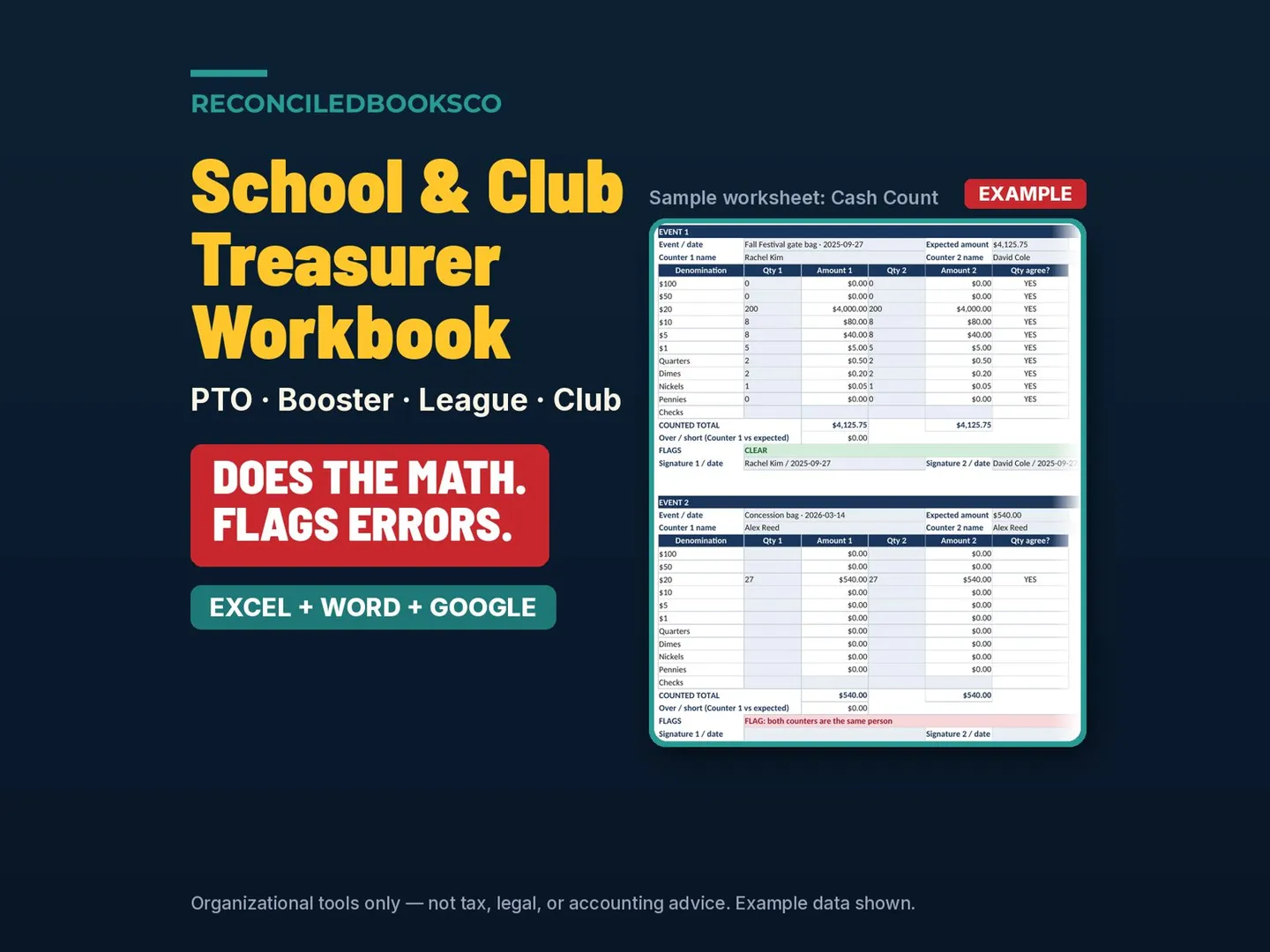
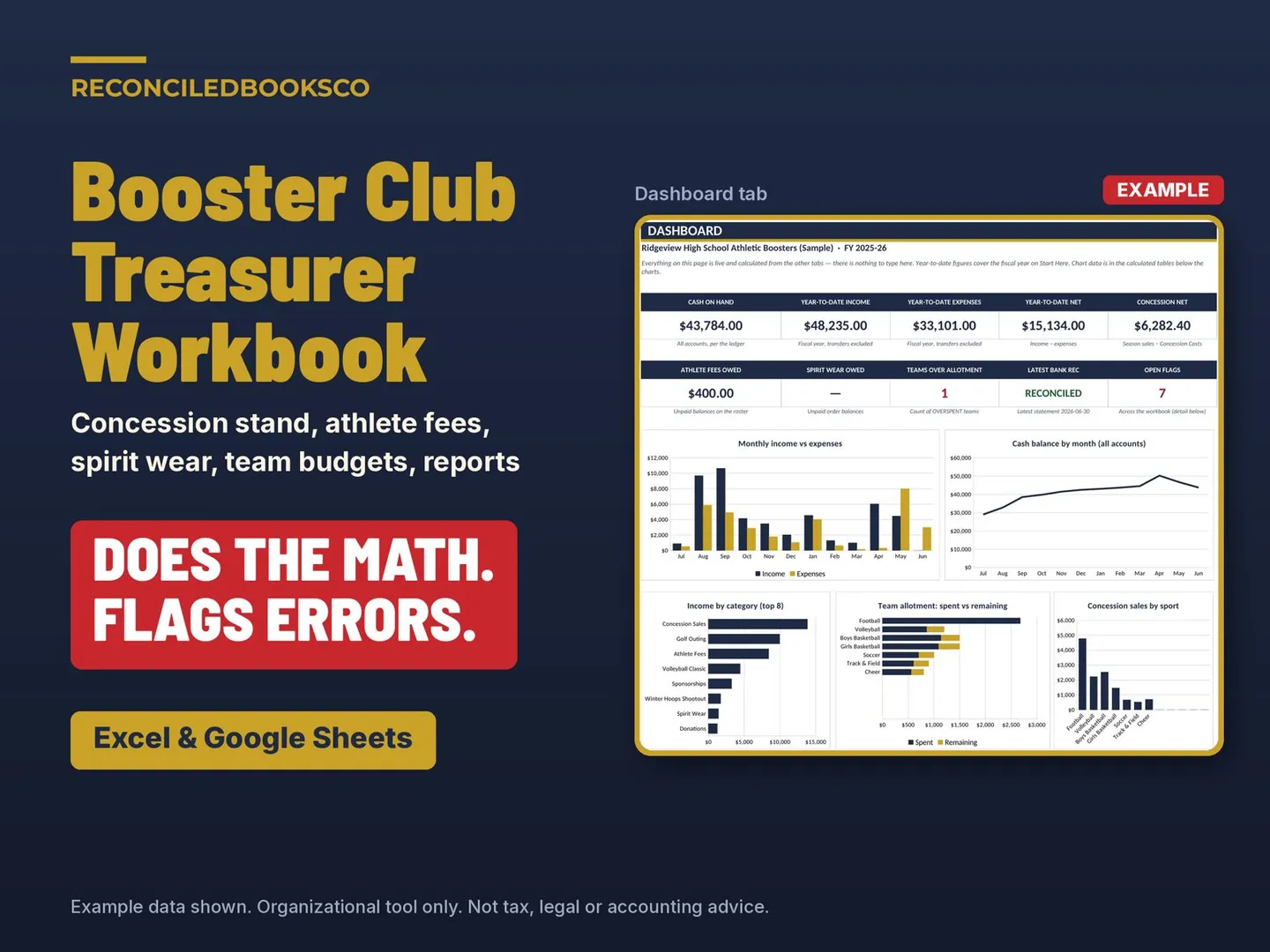
Booster books have more moving parts than most clubs: a cash box from every home game, fees that come in a few at a time, spirit wear orders, a weekend tournament, and coaches asking how much of their allotment is left. This workbook does the math and flags errors. Each tab tells you what to fix in plain English, with the dollar amount, before it reaches your board meeting or your athletic director: counters who disagree on a cash box, the same person counting twice, a concession deposit that is off or more than 2 days late, an athlete who still owes, a spirit wear order not delivered, a team over its allotment, a tournament that lost money, a bank rec that isn't at a $0.00 difference, a reimbursement with no receipt or a self-approval, and budget lines more than 10% off.
Share
What's inside
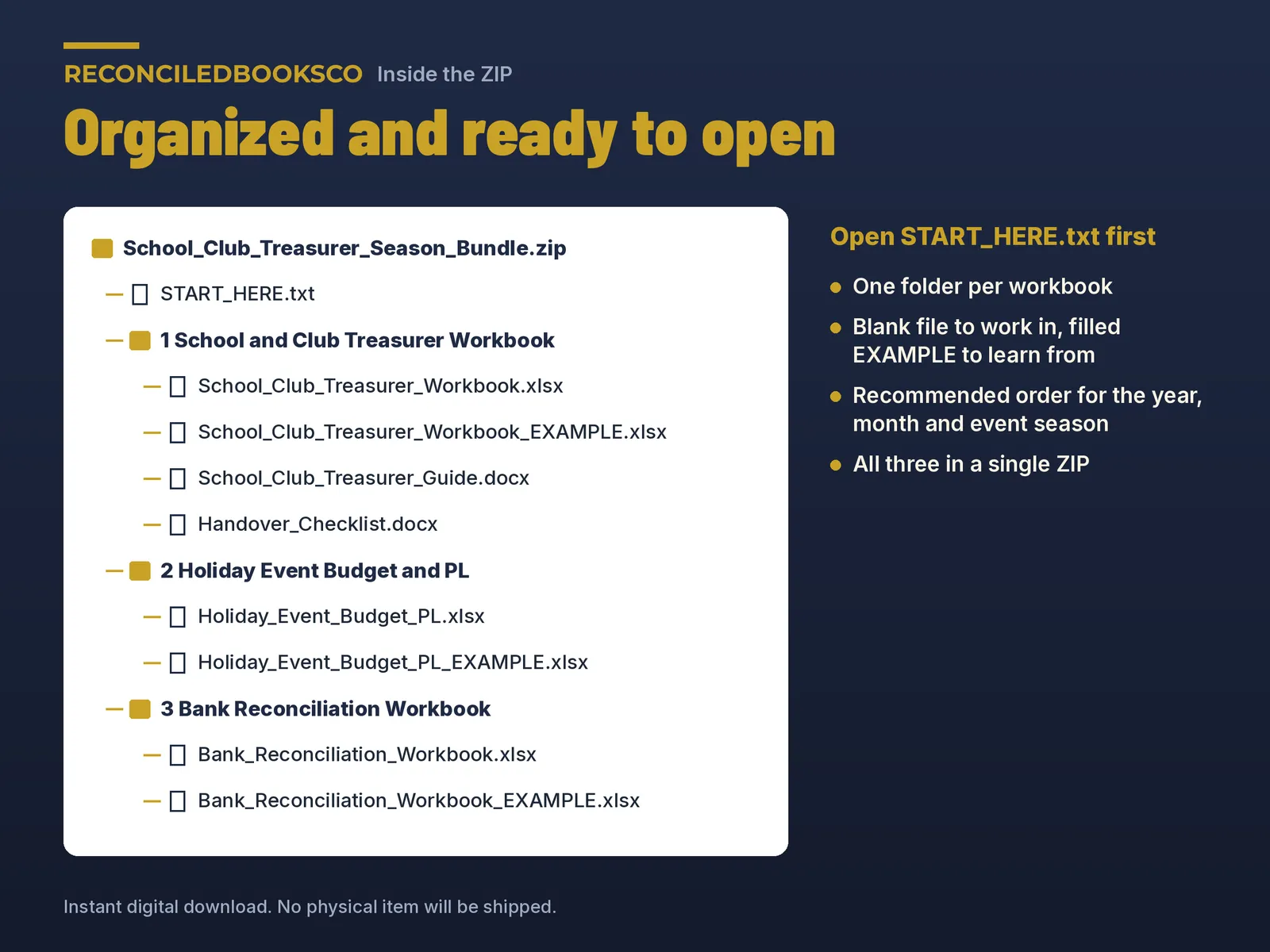
- Booster_Club_Treasurer_Workbook.xlsx: the blank 18-tab workbook you work in
- Booster_Club_Treasurer_Workbook_EXAMPLE.xlsx: a full sample year for a fictional high school athletic booster club, with a few problems planted so you can see the flags working
- Booster_Club_Treasurer_Guide.docx (Word): setup, the routine for each game and each month, and year end, in plain English
- Booster_Handover_Checklist.docx (Word): printable checklist for passing the books to the next treasurer, including the concession cash box and floats, the fees roster and spirit wear inventory
- START_HERE.txt: what to open first and the recommended order
- Start Here: club name, fiscal year, up to 3 bank accounts with opening balances, officers, and your Teams list (up to 20 sports) that feeds every sport dropdown
- Dashboard: cash on hand, year-to-date income, expenses and net, concession net, fees and spirit wear still owed, teams over allotment, latest bank rec, open flags and 5 charts
- Categories: your income, expense and transfer list for the ledger dropdowns, with booster categories already in
- Transaction Ledger: every deposit, check, payment and transfer, with a status column that flags bad rows
- Bank Reconciliation: one block per account; says RECONCILED only when the difference is $0.00
- Cash Count: printable two-counter sheet by denomination for other event cash bags
- Fundraiser P&L: up to 12 fundraisers, with net and margin pulled from the ledger; flags a loss
- Concession Stand: up to 60 stand shifts. Each counter types their own total, and sales count only when the two totals match. Flags the same person counting twice, counters who disagree, a deposit that is off and a deposit more than 2 days after the shift. Season net, net per shift and sales by sport
- Athlete Fees: up to 200 fee lines (pay-to-play, participation, uniform, travel) with scholarships and waivers; status reads Paid, UNPAID $X, OVERPAID $X or WAIVED; the roster ties to the ledger
Who it's for
- Treasurers at athletic boosters, band and music boosters and activity booster clubs, especially if you just took over the books before the season and want concession cash, player fees, spirit wear and team budgets in one place, a report for every meeting and a clean year to hand over
Details
This spreadsheet is for treasurers of athletic, band and activity booster clubs. It keeps the club's money records in one workbook, from concession cash counts through year-end tie-out and the handover to the next treasurer.
The download is a .zip with a blank .xlsx, a filled EXAMPLE for a sample year, Booster_Club_Treasurer_Guide.docx, Booster_Handover_Checklist.docx and START_HERE.txt. The 18 tabs are Start Here, Dashboard, Categories, Transaction Ledger, Bank Reconciliation, Cash Count, Fundraiser P&L, Concession Stand, Athlete Fees, Spirit Wear, Tournament & Event P&L, Reimbursement Register, Allotments, Dues & Fees, Budget vs Actual, Treasurer Report, 990-N and 990-EZ Prep, and Audit Tie-Out.
On setup, enter the organization name, fiscal-year start, bank accounts with opening balances, officers and teams. Each home game, add a Concession Stand row for each shift, counted by two people. Each month, update the ledger and reimbursements, finish the bank rec, then print a one-page Treasurer Report for the meeting. At year end, complete the Audit Tie-Out, use the 990-N and 990-EZ Prep tab, and hand the books to the next treasurer with the Handover Checklist. Type in the cream cells. Everything else calculates. It works in Excel 2016 or later, and in Google Sheets after you upload the .xlsx to Drive. The Word files can be uploaded to Drive and edited in Google Docs. There are no macros. Nothing is shipped.
Does it file the 990? No. The 990-N and 990-EZ Prep tab organizes the figures. Filing is up to the club and its tax professional.
Can each team have its own budget? Yes, through the Allotments tab and the Teams list.
Are the Word files editable in Google Docs? Yes. Upload them to Drive.
Before you buy
Organizational tool, not tax, legal, or accounting advice. Not approved or endorsed by the IRS, any school district, athletic association, national organization or regulator. Does not guarantee compliance or a clean audit. The 990-N and 990-EZ Prep tab is general information; filing requirements and thresholds depend on your organization's status and can change, so check the current-year IRS instructions and your school district's or parent organization's rules, and have a qualified CPA or tax preparer confirm how they apply to you. Built by ReconciledBooksCo, a small shop run by an experienced accountant.
Excel and Google Sheets. No macros. Paid spreadsheet products include a blank file and a filled example, plus a Start Here tab in plain English.
Licensed for one organization per purchase.