Billable Hours Tracker by WiseYears Apps
$12.99
Browser app to log billable hours with a timer, weekly timesheet and unbilled list. Works offline. Works in the browser on any device. No account.
Share
See how it works
The screenshots below are from the app, in the order you work through them.
Step 1
Open the app in your web browser on your phone, tablet, or computer.
What's inside
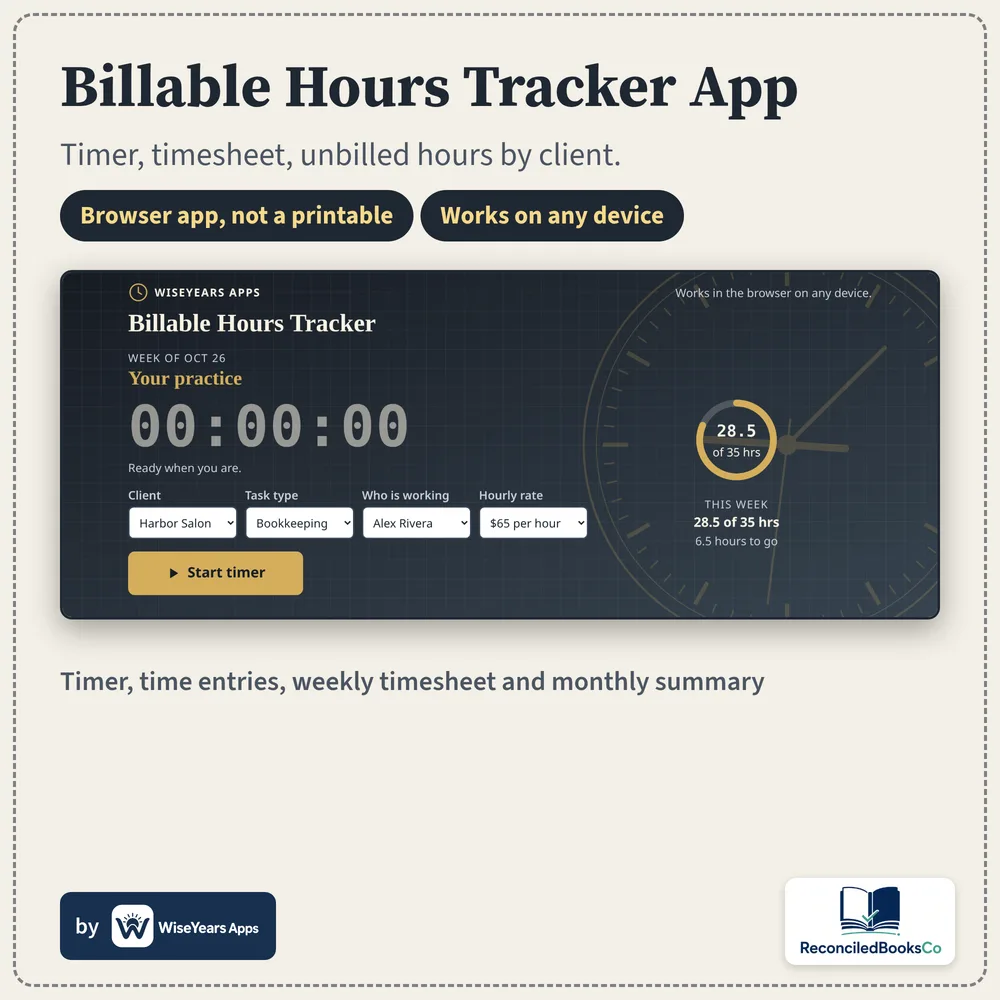
- A start and stop timer with client, task type, who is working and rate
- Manual entries with start and end time, break, hours, rate and notes
- Unbilled hours and amount, plus billed work past your payment terms
- Weekly timesheet and monthly summary views
- A text invoice summary of unbilled hours you can copy or print
- Backup and Restore, CSV upload and export, plus Print timesheet
- Works offline. Works in the browser on any device. No account.
- This is an app, not a spreadsheet file.
Who it's for
- Freelancers and small shops who bill by the hour
- Anyone who needs a weekly timesheet and an unbilled list
- Anyone who wants a browser app that works offline, with no account
Details
Hours get lost when they sit in a notebook until invoice week. This browser app keeps a timer, clients, rates and time entries in one place, shows what is unbilled, and flags billed work past the payment terms you set.
Open it in your browser. Start the timer or add an entry by hand. Records stay on this device. After you buy, you get a link and a PDF guide with the unlock code. Works in the browser on any device.
This is an app, not a spreadsheet file. There is no account and no monthly fee. It is not payroll software and it does not send invoices or take payments.
Before you buy
Organizational tool, not tax, legal, or financial advice. It is not payroll software, does not calculate tax, and does not send invoices or take payments.
Runs in the browser. This is an app, not a spreadsheet. Checkout and delivery open in a new tab.
Checkout and delivery open in a new tab. One purchase is for your own bookkeeping.