Bill Tracker Spreadsheet and Paycheck Budget Planner
$6.99
Bill tracker and paycheck budget spreadsheet that works with Excel and Google Sheets. List your bills once, enter your payday, and it works out which bills each paycheck has to cover, what is free to spend, every due date in your 12-month plan, and a month by month plan for the year. Log everyday spending and see where the money went on the Dashboard.
Share
What's inside
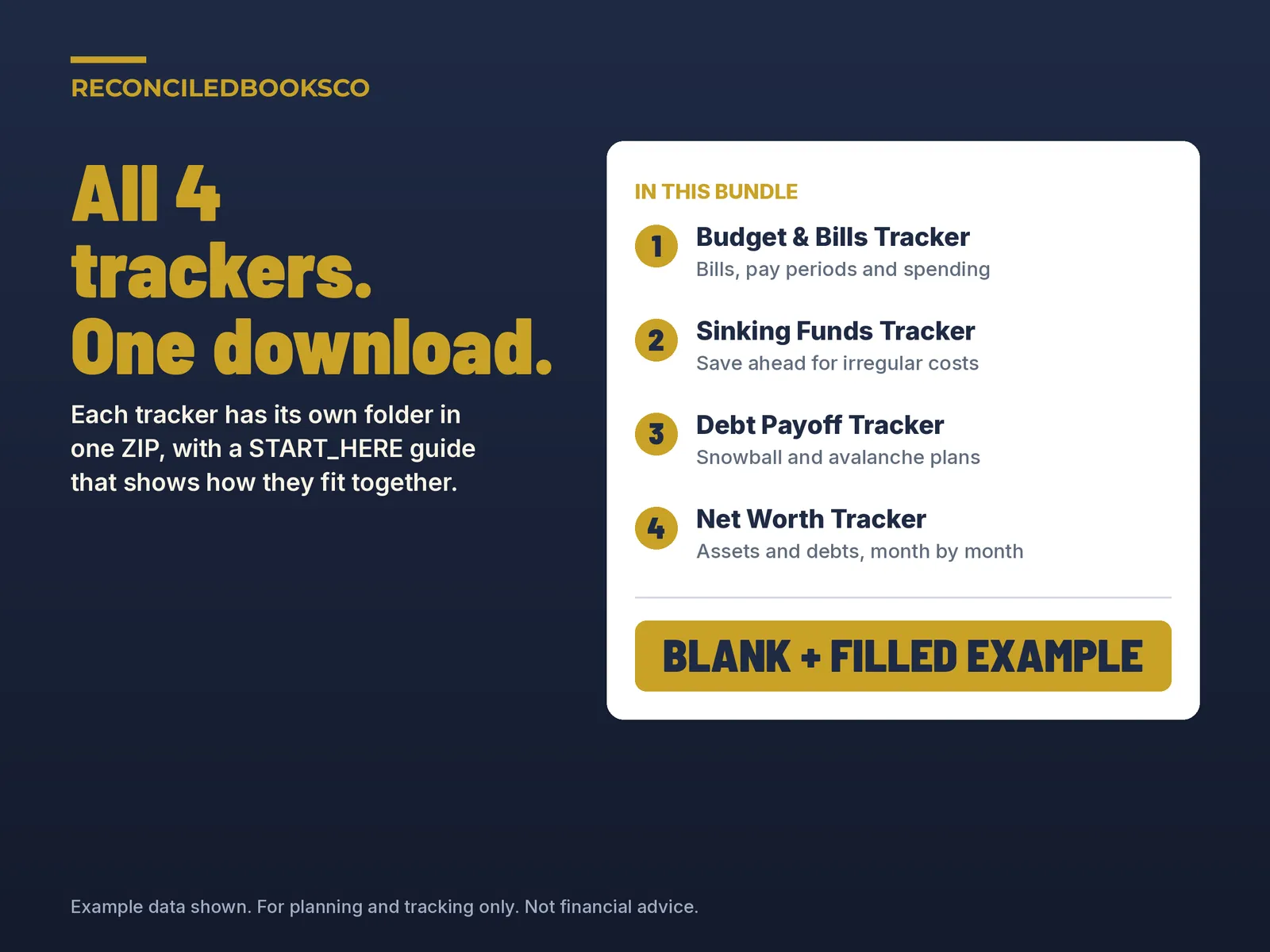
- Budget_Bills_Tracker.xlsx: the blank workbook you work in
- Budget_Bills_Tracker_EXAMPLE.xlsx: a filled sample household (two paychecks, 15 bills, about six weeks of spending) so you can see how it works before you start
- START_HERE.txt: what to open first and how to open it in Google Sheets
- Start Here: the steps in order, what the colors mean and a few tips
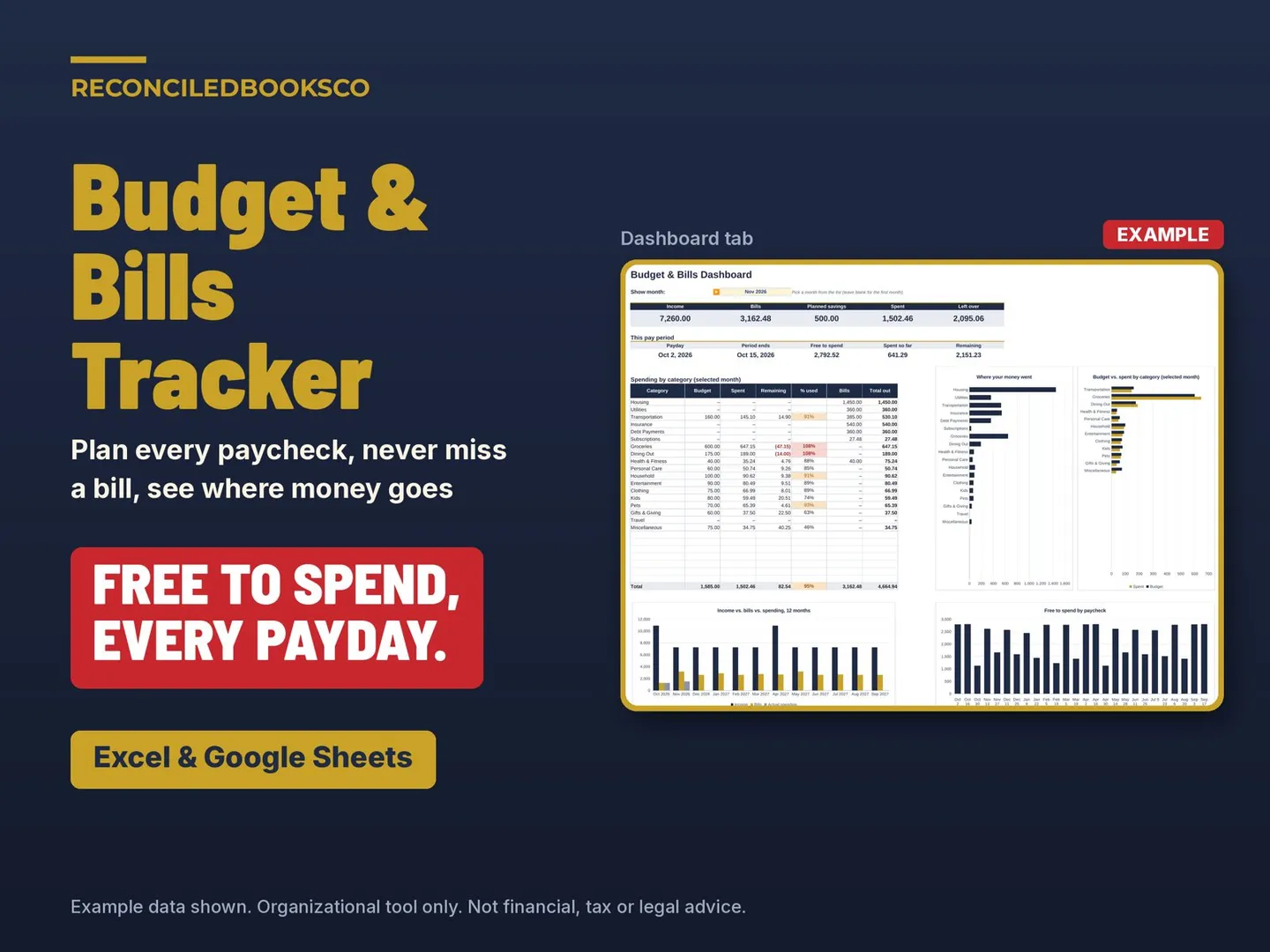
- Dashboard: pick any month to see income, bills, planned savings, spending and what is left over; this pay period's free to spend, spent so far and remaining; each category's budget, spent, remaining and % used with bills added in; and 4 charts (where your money went, income vs. bills vs. spending for 12 months, budget vs. spent by category, and free to spend by paycheck)
- Setup: your next payday, how often you are paid (weekly, biweekly, semi-monthly or monthly), take-home pay for up to 6 income sources, planned savings per paycheck, and a monthly budget for up to 25 spending categories
- Bills: up to 40 recurring bills with amount, due day, how often (monthly, quarterly, twice a year or yearly), first due month, autopay and which account or card pays it, plus the monthly equivalent of each bill
- Pay Periods: every paycheck for the next 12 months with the bills due before the next payday, planned savings, free to spend, spent and remaining. Add extra income or change savings on any paycheck
- Bill Calendar: every due date in your 12-month plan. Mark a bill paid with a check mark; overdue bills turn red and bills due within 7 days turn orange
- Spending: log everyday purchases (up to 600) with date, description, category, amount and how you paid; each one is matched to its pay period and month
- Monthly Forecast: your 12 month plan, month by month, with income, bills, savings, everyday budget, forecast left over and actual spending, plus a chart
Who it's for
- Anyone paid weekly, every two weeks, twice a month or monthly who wants to know which bills come out of which paycheck and how much is really left to spend. Good for singles, couples and families, and for anyone starting a budget for the first time
Details
This spreadsheet is for households and individuals paid weekly, biweekly, semi-monthly or monthly who want to plan each paycheck around their bills. It shows which bills each paycheck has to cover and what is left to spend, so you can plan for each bill and see where the money goes.
The download is a .zip with Budget_Bills_Tracker.xlsx, a filled Budget_Bills_Tracker_EXAMPLE.xlsx, and START_HERE.txt. Tabs are Start Here, Dashboard, Setup, Bills, Pay Periods, Bill Calendar, Spending and Monthly Forecast, plus helper tabs Lists and Calc. On Setup you enter the next payday, pay frequency, take-home pay by income source, planned savings per paycheck, and a monthly budget for each everyday spending category. Paychecks for the next 12 months are calculated. List each recurring bill once. Mark each bill paid on the Bill Calendar. Log everyday purchases on Spending. Bills are not entered there because they are already counted. The tracker is undated and runs 12 months from the payday you enter.
Look at the EXAMPLE first. Fill in Setup, list your bills, check Pay Periods, mark bills paid on the Bill Calendar, log spending, then review the Dashboard and Monthly Forecast. Type in the cream cells. Everything else calculates. It works in Excel 2016 or later, and in Google Sheets after you upload the .xlsx to Drive. There are no macros. Nothing is shipped.
Can I start mid-year? Yes. The tracker is undated and runs 12 months from the next payday you enter.
Does it handle bills that aren't monthly? Yes. Each bill can be Monthly, Quarterly, Semi-annually or Annually, and you set the first due month.
Does it work in Google Sheets? Yes. Upload the .xlsx to Google Drive and open it with Google Sheets. Excel 2016 or later opens it directly.
Before you buy
Organizational tool, not tax, legal, or accounting advice. Not financial advice. It does not connect to your bank, pay bills or send reminders; it only shows what you enter. Check due dates and amounts against your own statements. Built by ReconciledBooksCo, a small shop run by an experienced accountant. Check with a qualified professional for your situation.
Excel and Google Sheets. No macros. Paid spreadsheet products include a blank file and a filled example, plus a Start Here tab in plain English.
Licensed for one household per purchase.