Household Budget Spreadsheet: Bills, Savings, Debt and Net Worth
$14.99
Household money often lives in more than one place: a checking app, a notes file, and bills that draft on their own. A budget helps when the month is visible in one place.
Share
What's inside
- A monthly budget that shows what you planned and what happened.
- A bills list with due dates written down.
- Sinking funds for expenses that return less often than every month.
- A simple net-worth snapshot: what you have and what you owe, on one page.
Who it's for
- Households who want a clearer month without a subscription
- Couples who need one set of numbers they both can read
- Households gathering statements into one month
Details
Are your bills on one list, your debts on another and the money for car repairs and holidays only in your head, with still no clear answer to whether your household is getting ahead?
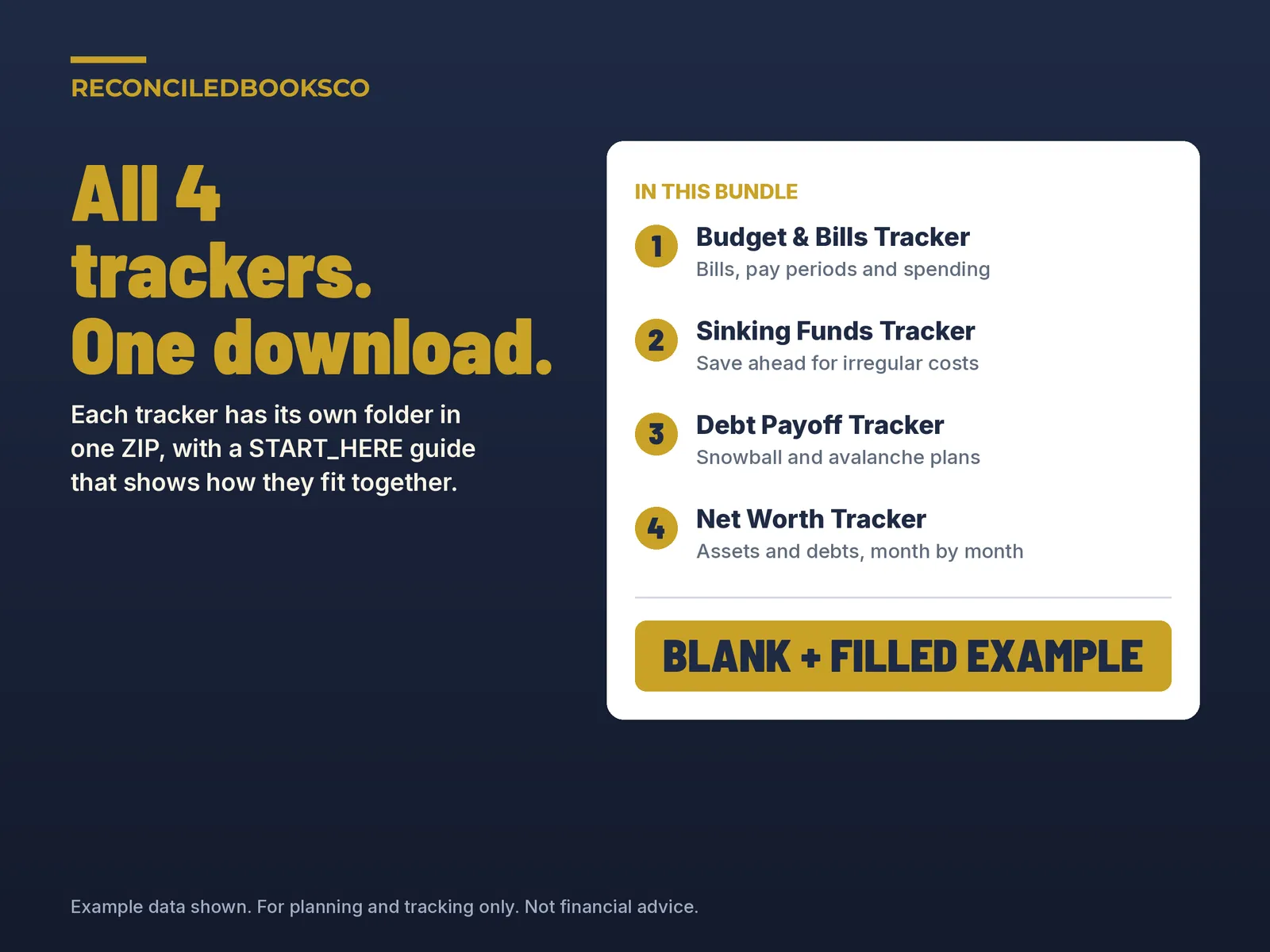
This bundle gives you four household spreadsheets that each answer one question and are set up to be used together: which bills each paycheck covers, how much to set aside for the costs you know are coming, when each debt will be paid off, and whether your net worth went up this month. Each one does the math, so you only type in your own numbers.
How the 4 work together 1. Budget & Bills Tracker: your monthly plan. List each bill once and see which bills each paycheck covers and what is free to spend. 2. Sinking Funds Tracker: the costs that don't come every month. It shows how much to set aside per month and per paycheck, and that amount goes into your plan. 3. Debt Payoff Tracker: your debts side by side as snowball (smallest balance first) and avalanche (highest APR first), with a payoff month for each. 4. Net Worth Tracker: once a month, type your balances and see one number, what you own minus what you owe, and whether it went up. The four workbooks are separate files and don't link to each other, so you copy the few shared numbers (savings amount, minimum payments, balances) by hand.
What's included 1 Budget & Bills Tracker (files named Budget_Bills_Tracker) • Blank workbook + filled EXAMPLE. 8 tabs: Start Here, Dashboard with 4 charts, Setup, Bills (up to 40 recurring bills), Pay Periods, Bill Calendar, Spending (up to 600 purchases) and Monthly Forecast.
2 Sinking Funds Tracker • Blank workbook + filled EXAMPLE. 7 tabs: Start Here, Dashboard with 4 charts and a Needs attention list, Setup (up to 30 funds), Funds, Transactions (up to 1,000 rows), Monthly Plan and Savings Check.
3 Debt Payoff Tracker • Blank workbook + filled EXAMPLE. 7 tabs: Start Here, Dashboard with 4 charts, Setup (up to 25 debts), Snowball Plan, Avalanche Plan, Compare with a what-if extra payment box, and Payment Log.
4 Net Worth Tracker • Blank workbook + filled EXAMPLE. 6 tabs: Start Here, Dashboard with 4 charts and a "What changed this month" box, Setup (up to 25 assets and 25 debts), Monthly Balances (60 months), Summary and Goal.
START_HERE.txt tells you which tracker to open first and gives you a simple monthly routine.
How it works 1. Open START_HERE.txt, then the EXAMPLE files to see finished examples. 2. Budget & Bills first: enter your paydays, take-home pay and bills. 3. Sinking Funds next: list the bigger costs you know are coming and set aside what it shows. 4. Debt Payoff next: enter your debts and monthly debt budget, then compare both methods. 5. Net Worth last, once a month: type your balances and check all four Dashboards. Cream cells are the ones you fill in; everything else is calculated. No macros. Each tracker follows the start month or payday you enter, so you can start any month.
Works with excel & google sheets Excel: unzip the download, open any.xlsx and start on the Start Here tab (Excel 2016 or later). Formula cells are protected with no password so they don't get typed over by accident. Google Sheets: open Google Sheets and use File > Import > Upload to open any.xlsx. Google Sheets doesn't keep the sheet protection, so type only in the cream cells there.
See it filled in first Each tracker comes with a filled EXAMPLE copy for a made-up household, so you can see every tab and chart working before you start. Keep the EXAMPLE files as a reference and work in the blank files.
Who this is for Singles, couples and families who want bills, savings, debt and net worth covered in one purchase, and anyone starting a budget for the first time. You don't need to be good with spreadsheets.
Instant download · digital files only This is a digital download. Nothing will be shipped. Your download link appears right after checkout and is also in your email receipt. Because these are digital files, all sales are final. If a file won't open, contact us and we'll fix it or send it again. One purchase covers one household; please don't resell or share the files.
Disclaimer For planning and tracking only. Not financial advice. Results are estimates based on the numbers you enter. Interest in the Debt Payoff Tracker is figured monthly as balance times APR divided by 12, so your lender's numbers may differ slightly. The trackers don't connect to your bank, pay bills or send reminders; they only show what you enter. The households and numbers in the EXAMPLE files are made up.
Built by ReconciledBooksCo, a small shop run by an experienced accountant.
Before you buy
A household organizer. It does not invest money or give financial, tax, or legal advice. For months when income itself changes, see the Safe to Spend app.
Excel and Google Sheets. No macros. Paid spreadsheet products include a blank file and a filled example, plus a Start Here tab in plain English.
Licensed for one household per purchase.